
Know What You Hold—and What Needs to Happen Next.
Manage customer-owned and company-owned inventory from receipt through storage, picking and release. ePRO connects stocked products with production, purchasing, delivery and billing.
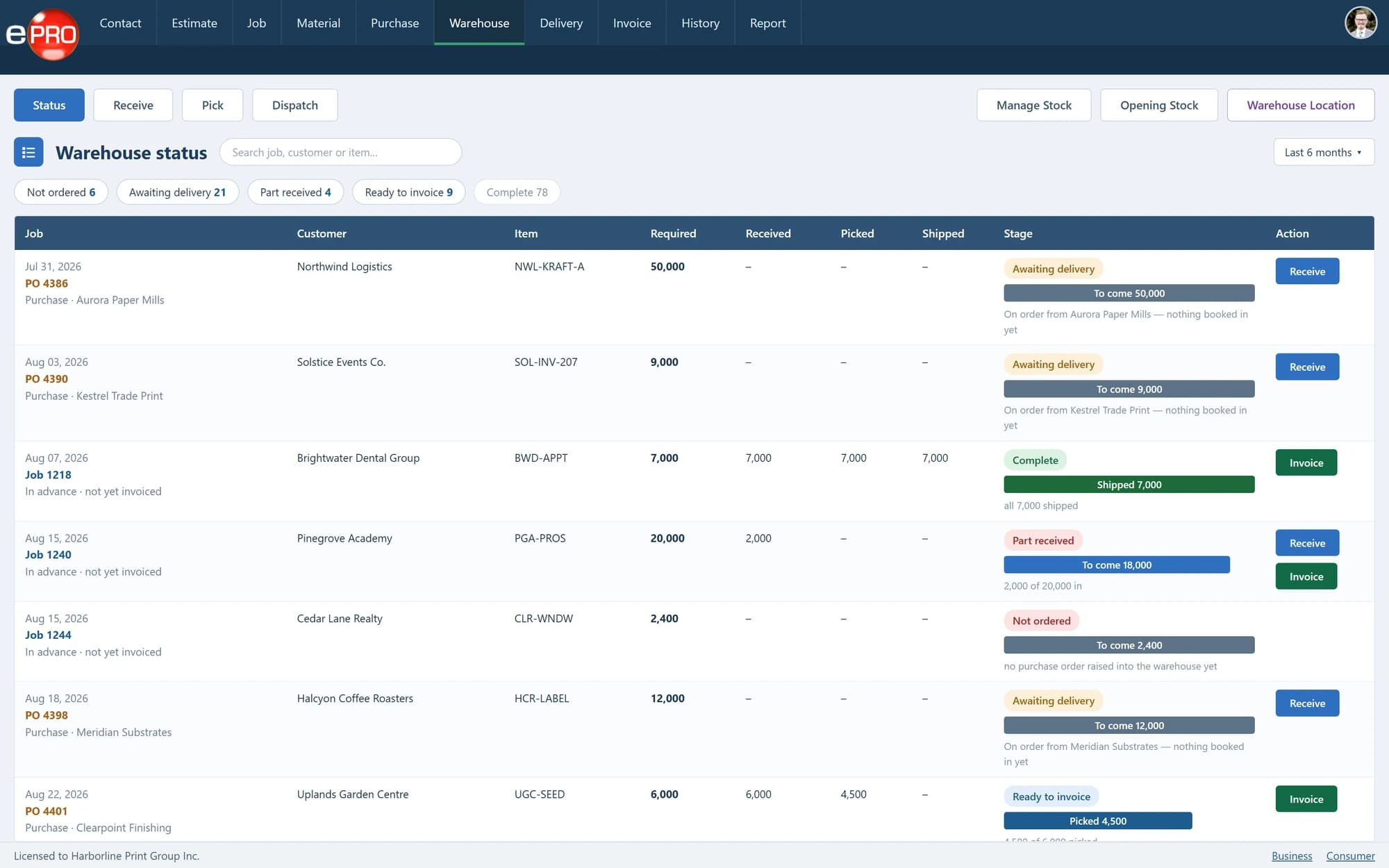
Product views shown with sample data.
Stored Print Is an Ongoing Responsibility.
Producing or purchasing the stock is only the beginning.
Your team still needs to know who owns it, how much remains, which locations need it and whether the customer has already paid for the goods.
Treat inventory as a continuing customer service, not simply a quantity left on a shelf.
Manage How Stock Enters and Leaves.
- 01
Identify ownership
Distinguish goods owned by your business from stock held on behalf of customers. Keep ownership relevant to the way the inventory is managed and billed.
- 02
Receive from production or suppliers
Add stock produced internally or purchased externally. Maintain receipts against the stocked item so replenishment becomes part of its history.
- 03
Release existing inventory
Pick and release available stock without creating another production job simply to move it out of the warehouse. Use jobs when additional goods need to be manufactured.
- 04
Handle partial requirements
Release the quantity available and retain visibility of the outstanding requirement. Replenish through production or purchasing, then complete the remaining release.
- 05
Support numbered products
Maintain start and end number information for applicable inventory, supporting identification of numbered stock and subsequent replenishment.
Make Partial Fulfilment Clear.
For example, a customer requests 100 units and 60 are available.
Release the 60 available units and retain the remaining 40 as an outstanding requirement. Once additional stock has been produced or purchased and received, complete the balance.
The important distinction is between what the customer requested, what has been supplied and what remains to be fulfilled.
Keep Stock Movement and Billing Distinct.
A customer may pay for the full production quantity before it is gradually released. Another agreement may require billing as quantities leave the warehouse.
The physical release and the commercial arrangement need to work together. ePRO supports inventory within the wider production, delivery and invoicing workflow.
From Receipt to Customer Release.
- 01Produce or Purchase
- 02Receive
- 03Store
- 04Pick
- 05Release
- 06Deliver
- 07Bill as Agreed
Frequently asked questions
Must we create a job for every warehouse release?
No. Existing finished stock can be released directly. A production job is needed when more stock must be manufactured.
Can releases go to different customer locations?
Yes. Releases can be associated with the relevant delivery destination.
Can we manage both customer-owned and company-owned stock?
Yes. ePRO supports both ownership arrangements.
Make Inventory Part of the Service You Deliver.
Review how you receive, hold, replenish and release stock for your customers.
