
Run the BusinessBehind the Print.
Print MIS software connects the commercial and operational processes required to take a print job from enquiry to invoice.
Estimate it. Produce it. Deliver it. Invoice it.
- 01
Manage customers, estimating, jobs, production, purchasing, inventory, delivery, invoicing and reporting from one connected system.
- 02
For printers that also need customer-facing online ordering, ePRO brings Web-to-Print and Print MIS together in the same platform.
See the Workflow on Screen.
Fourteen views of the same connected system — from the first customer record through to the invoice.
- 01
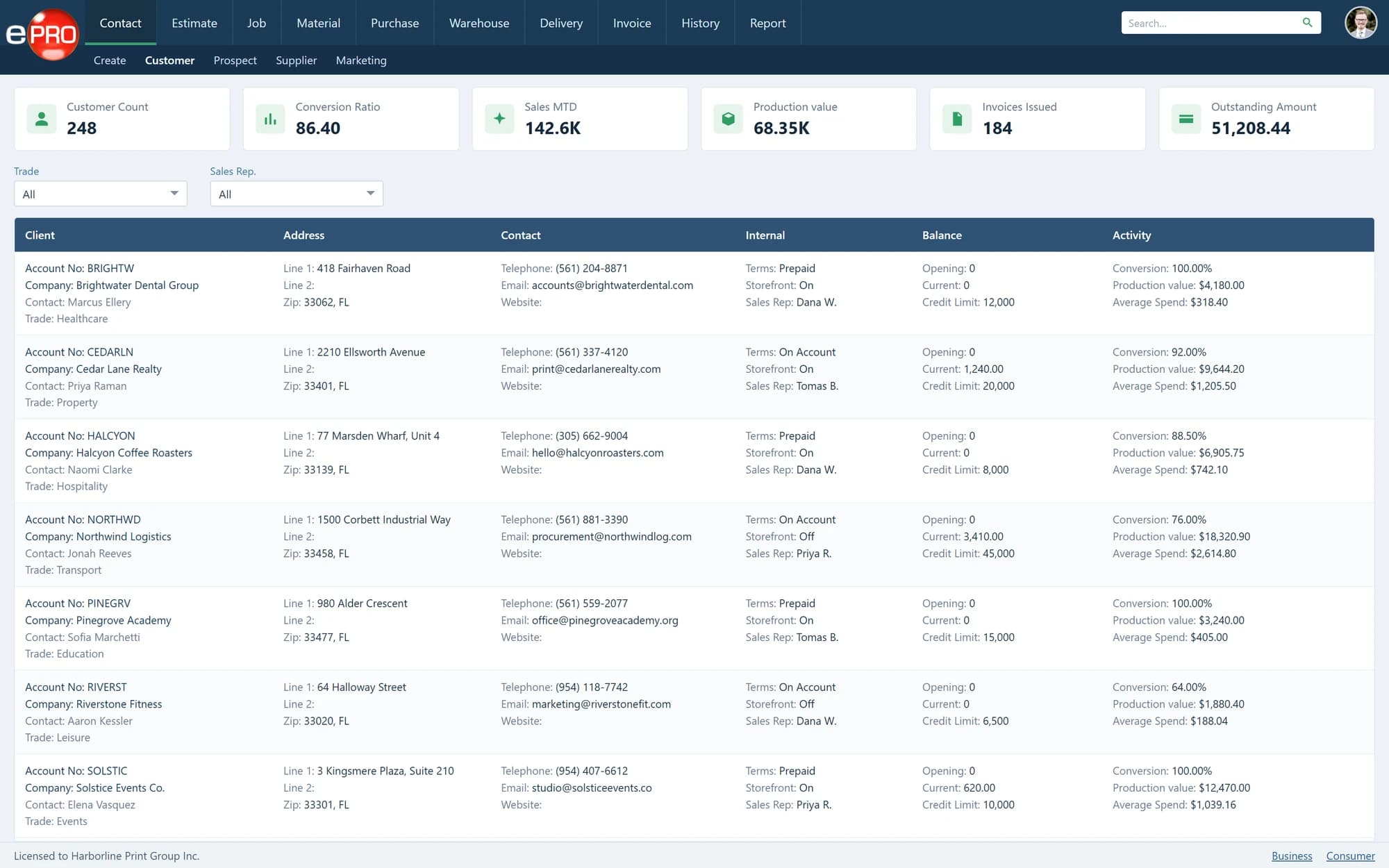
Contacts & CRM
Customers, prospects, contacts and commercial history on one record.
- 02
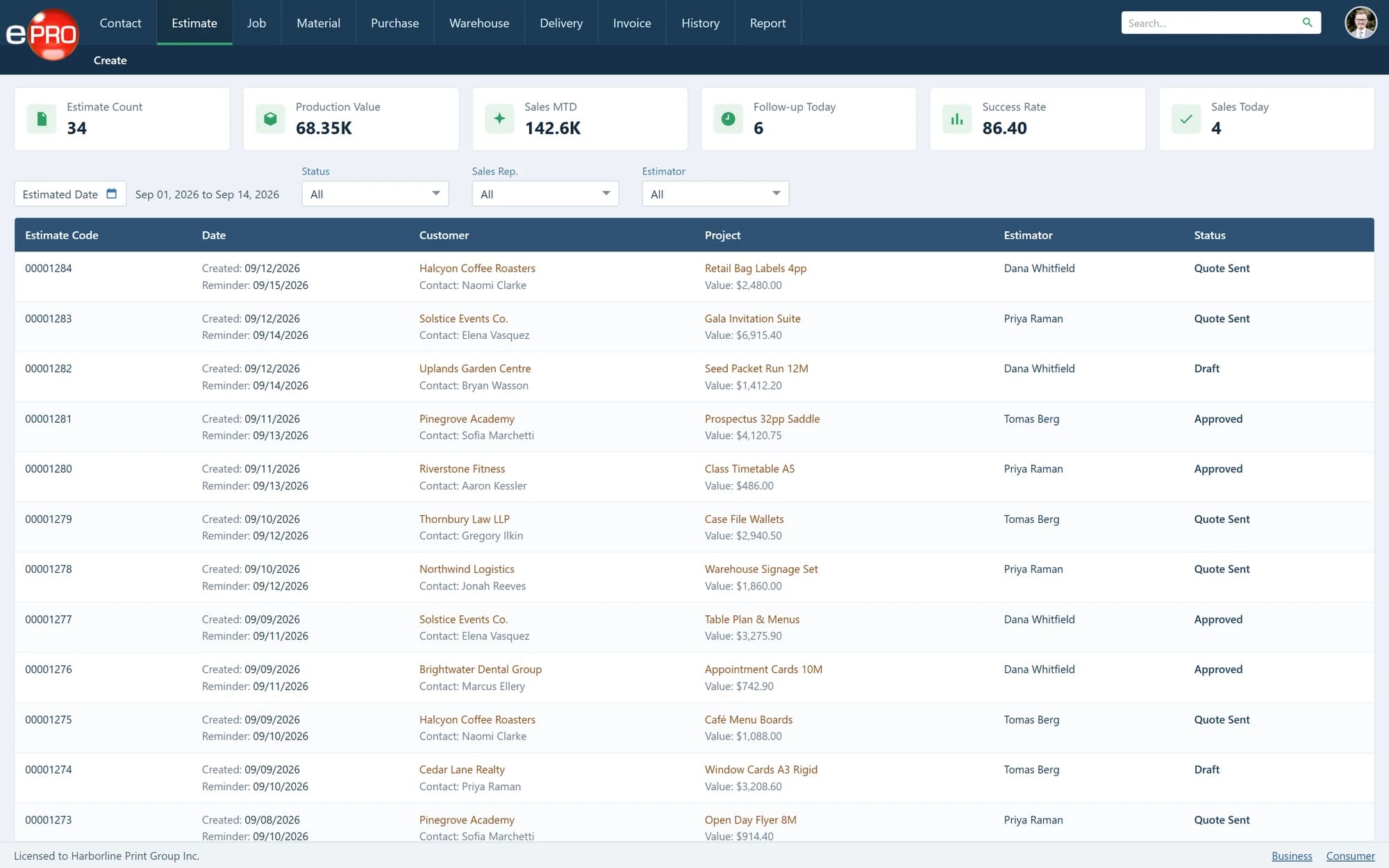
Estimating
Specifications, costs, markup and gross margin behind every quote.
- 03
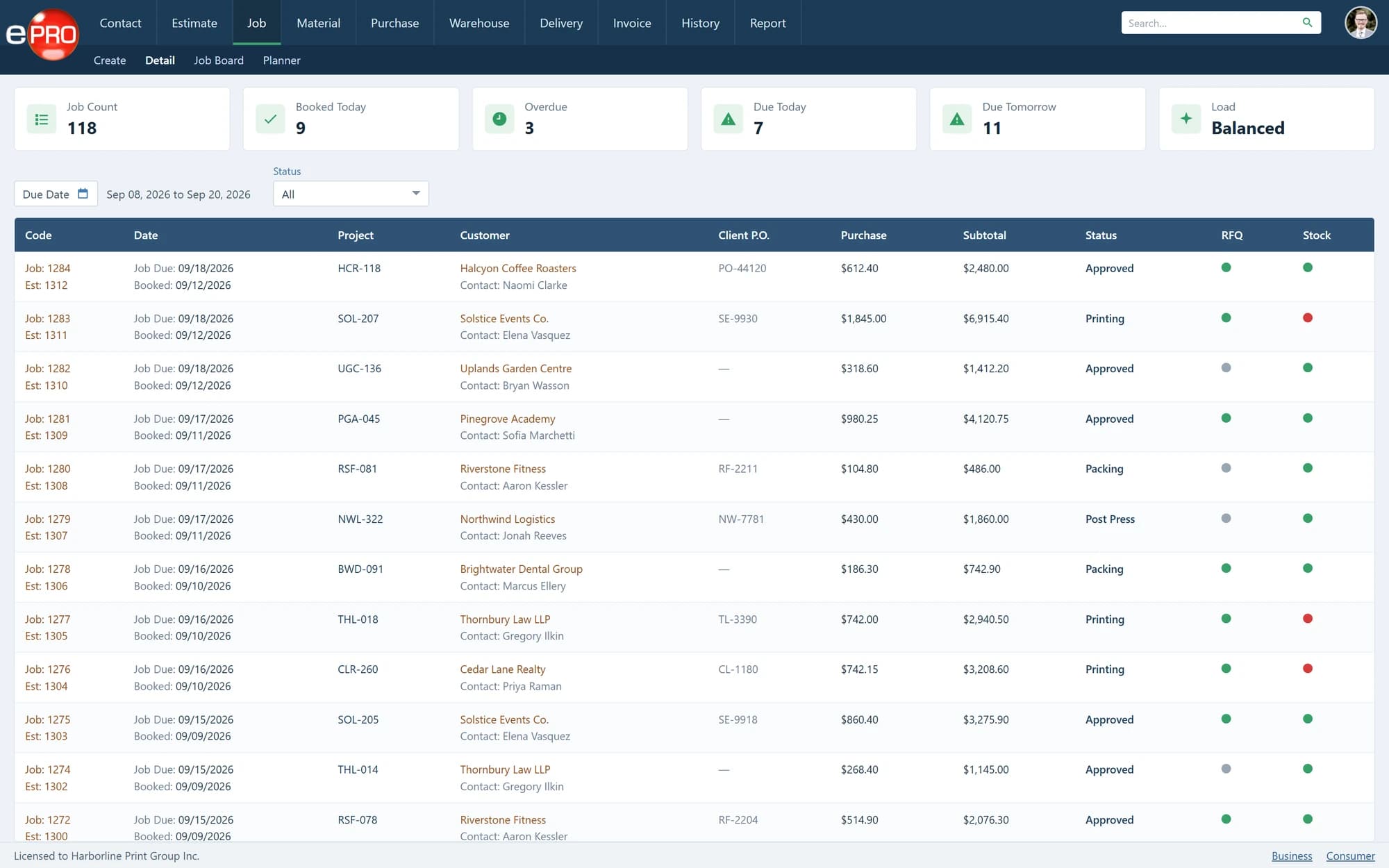
Job Management
Approved work as structured production jobs, with purchase and stock status.
- 04
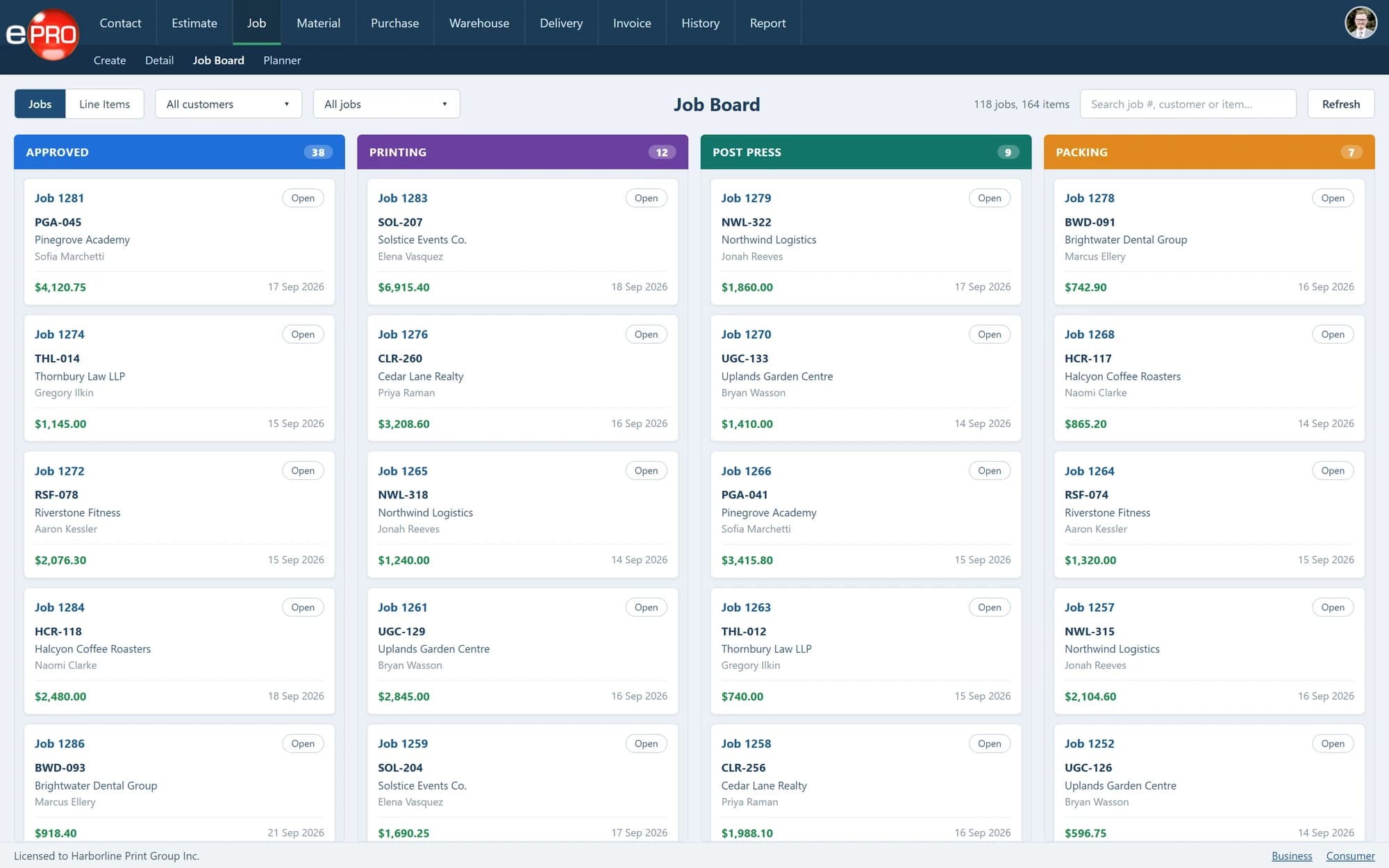
Job Board
Live production stages from approved through printing, post press and packing.
- 05
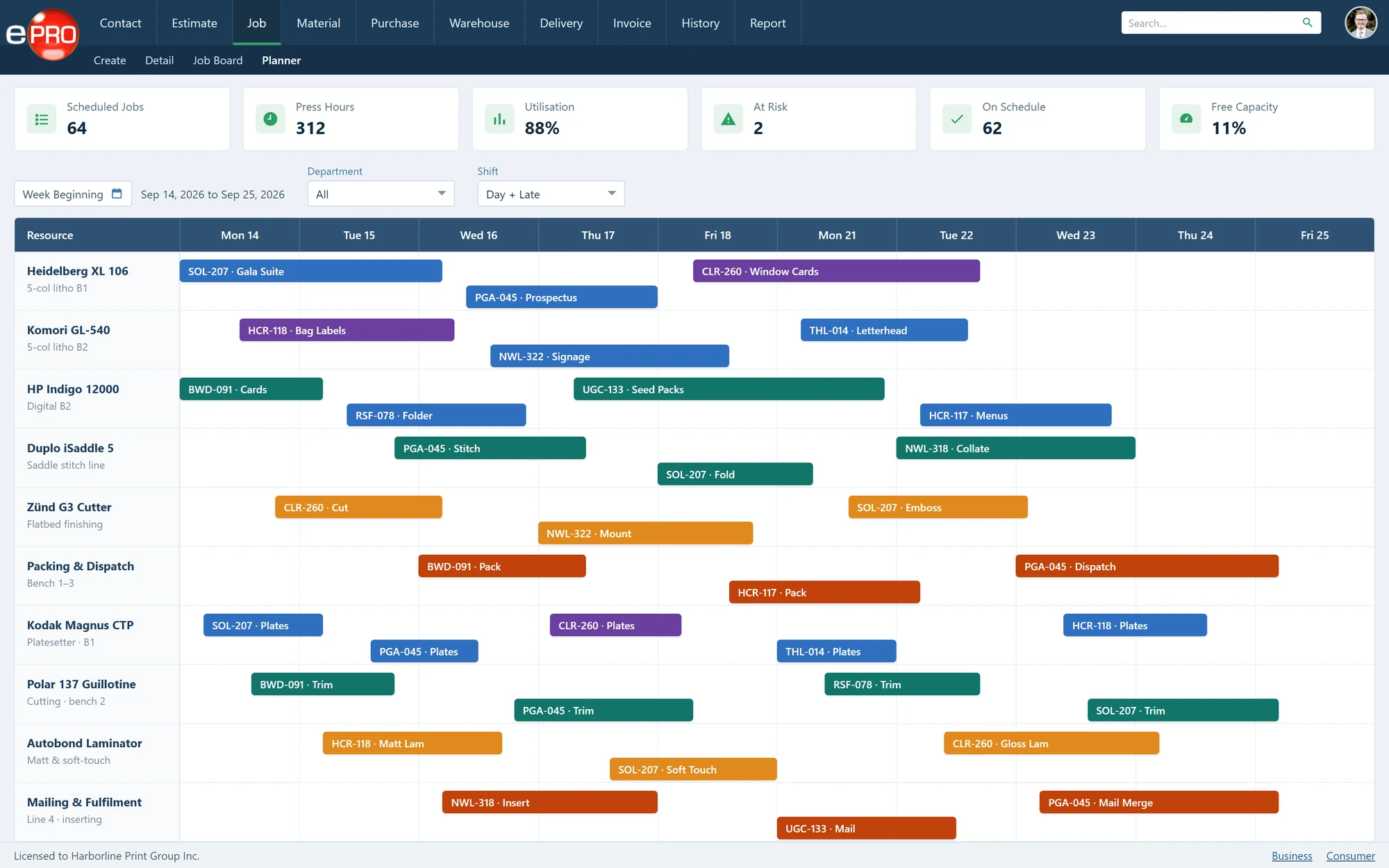
Production Planner
Presses, finishing lines and benches scheduled across the week.
- 06
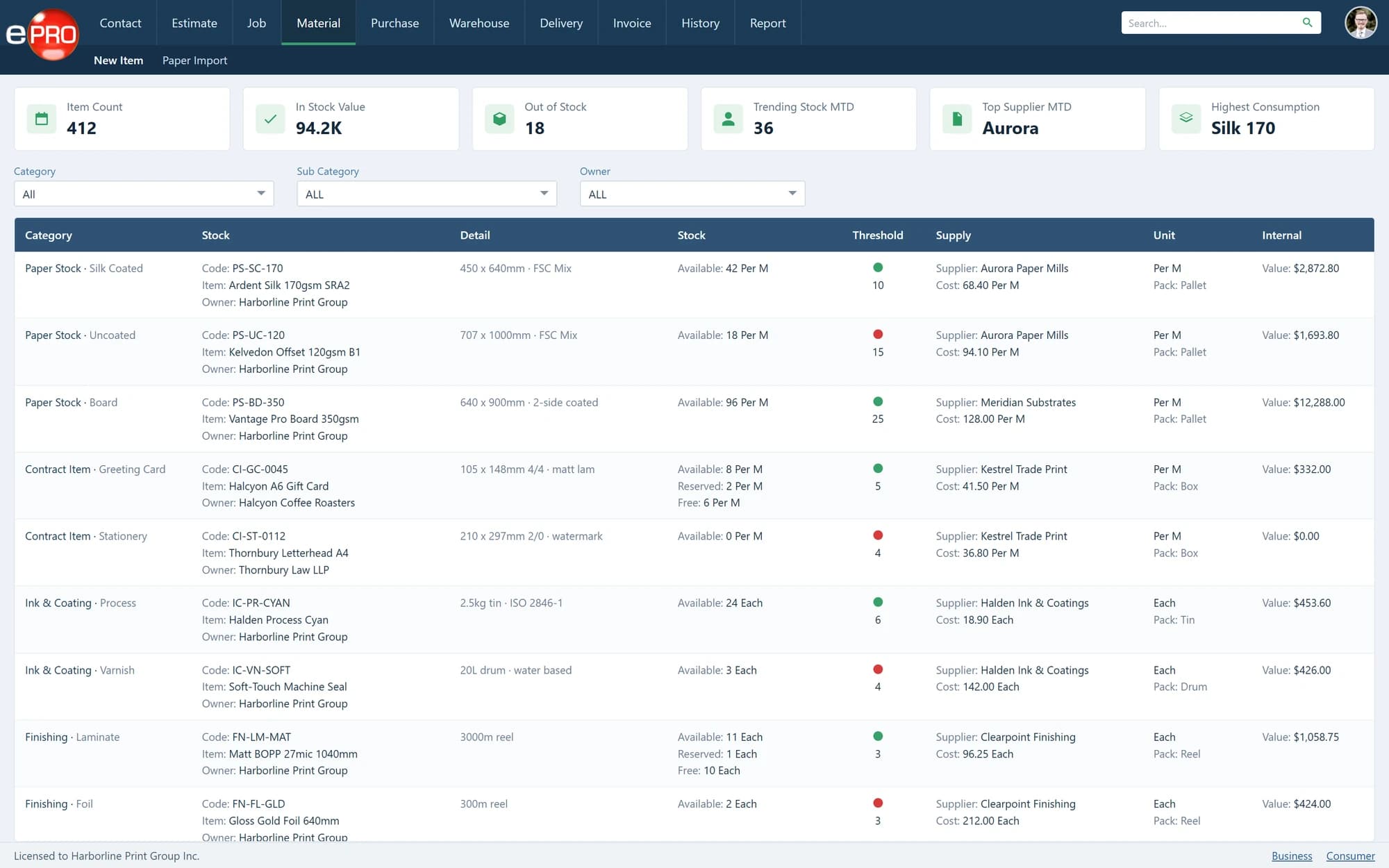
Materials
Paper, ink, laminate and contract stock with thresholds and valuations.
- 07
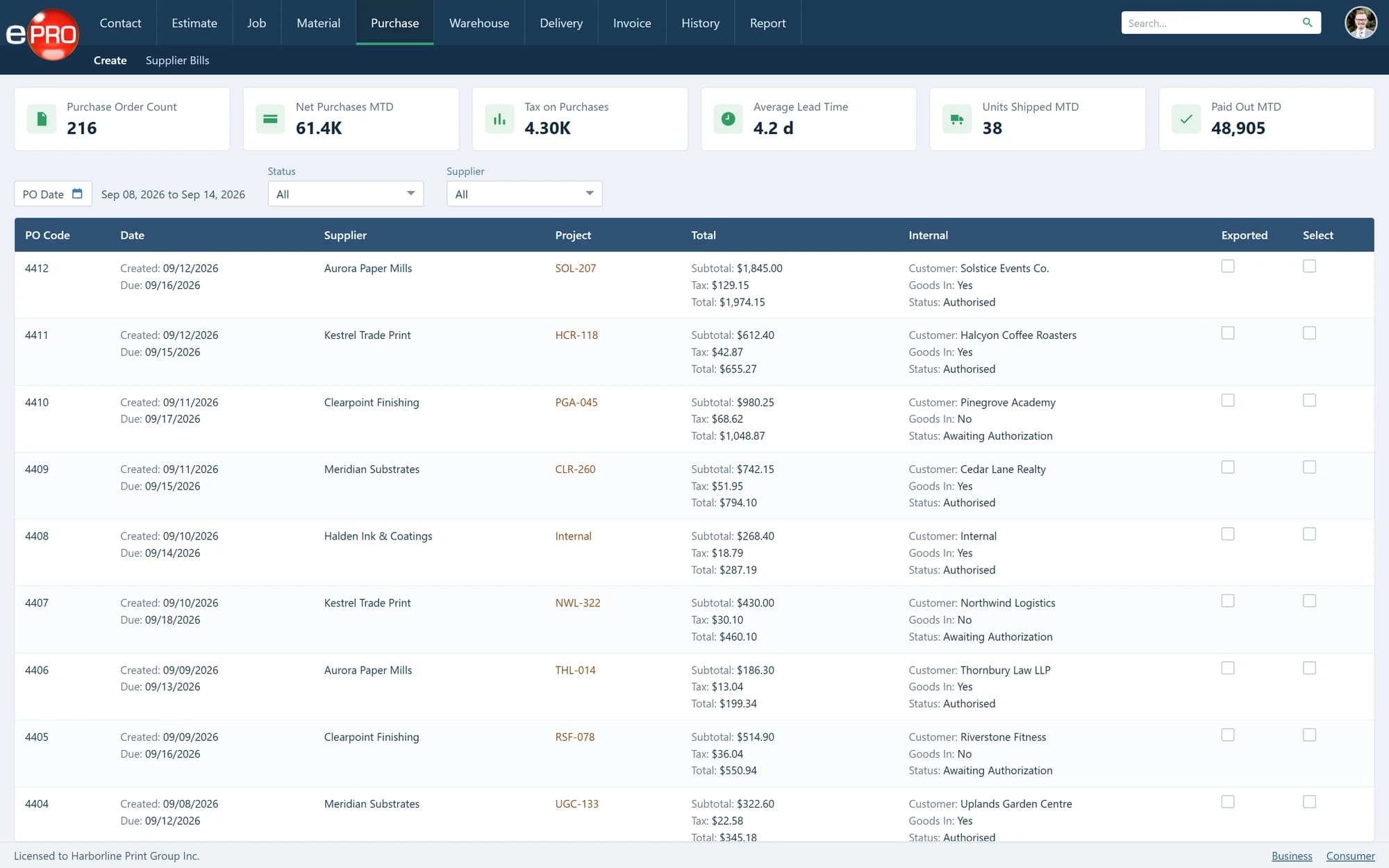
Purchasing
Purchase orders for materials, outsourced production and supplier services.
- 08
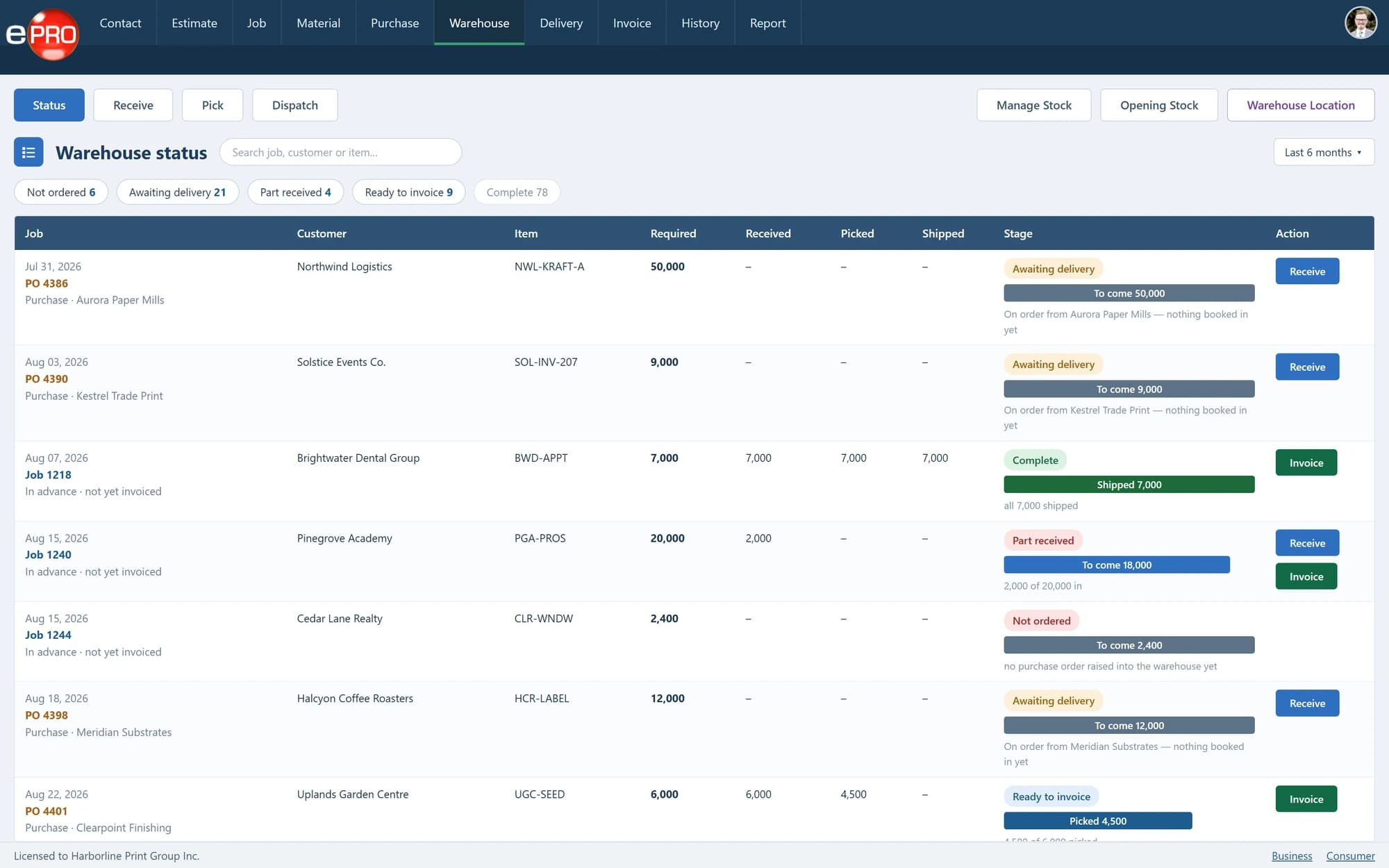
Warehouse
Receiving, allocation, picking and release against the job that needs it.
- 09
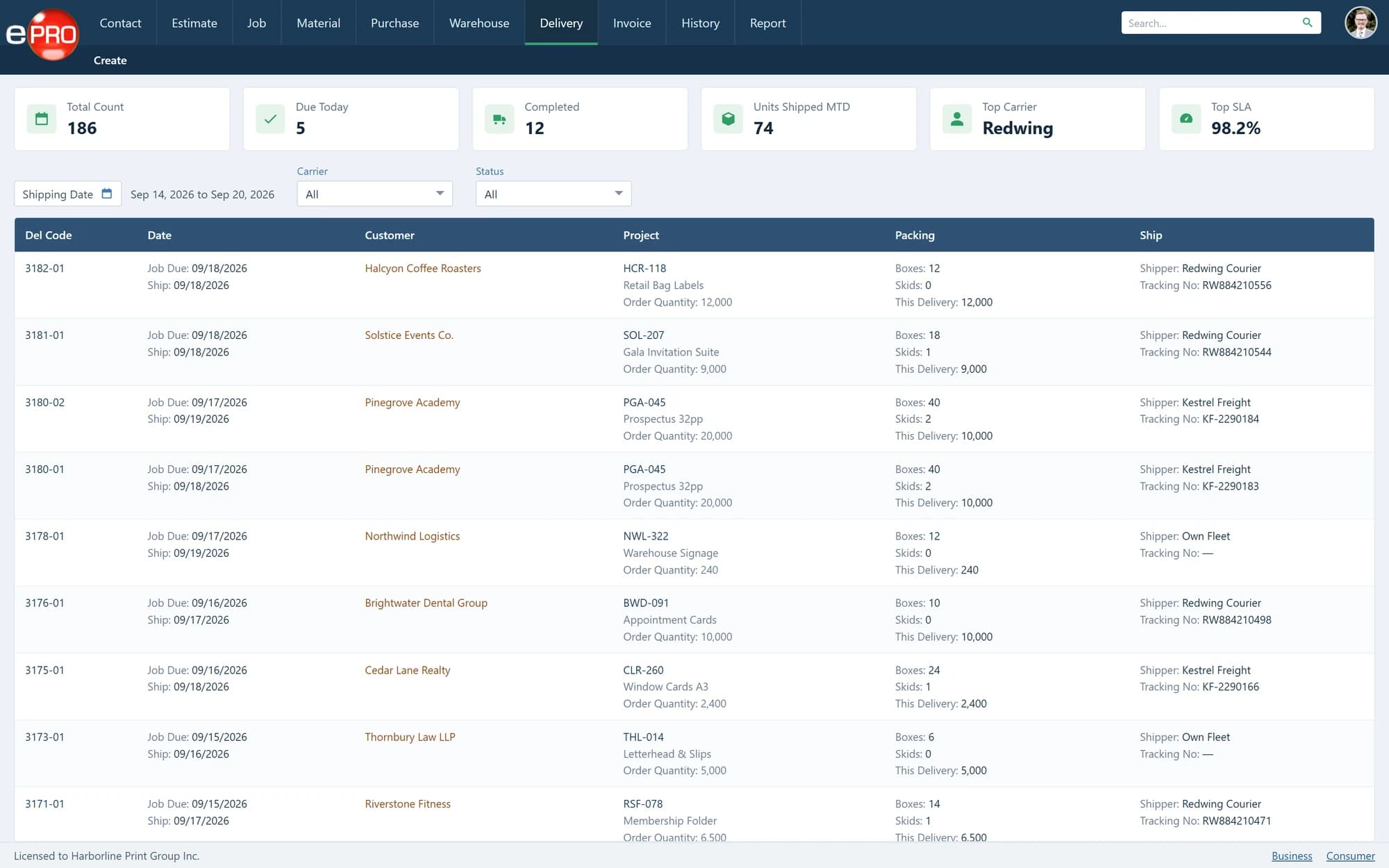
Delivery
Packing, carriers, tracking and multi-location dispatch.
- 10
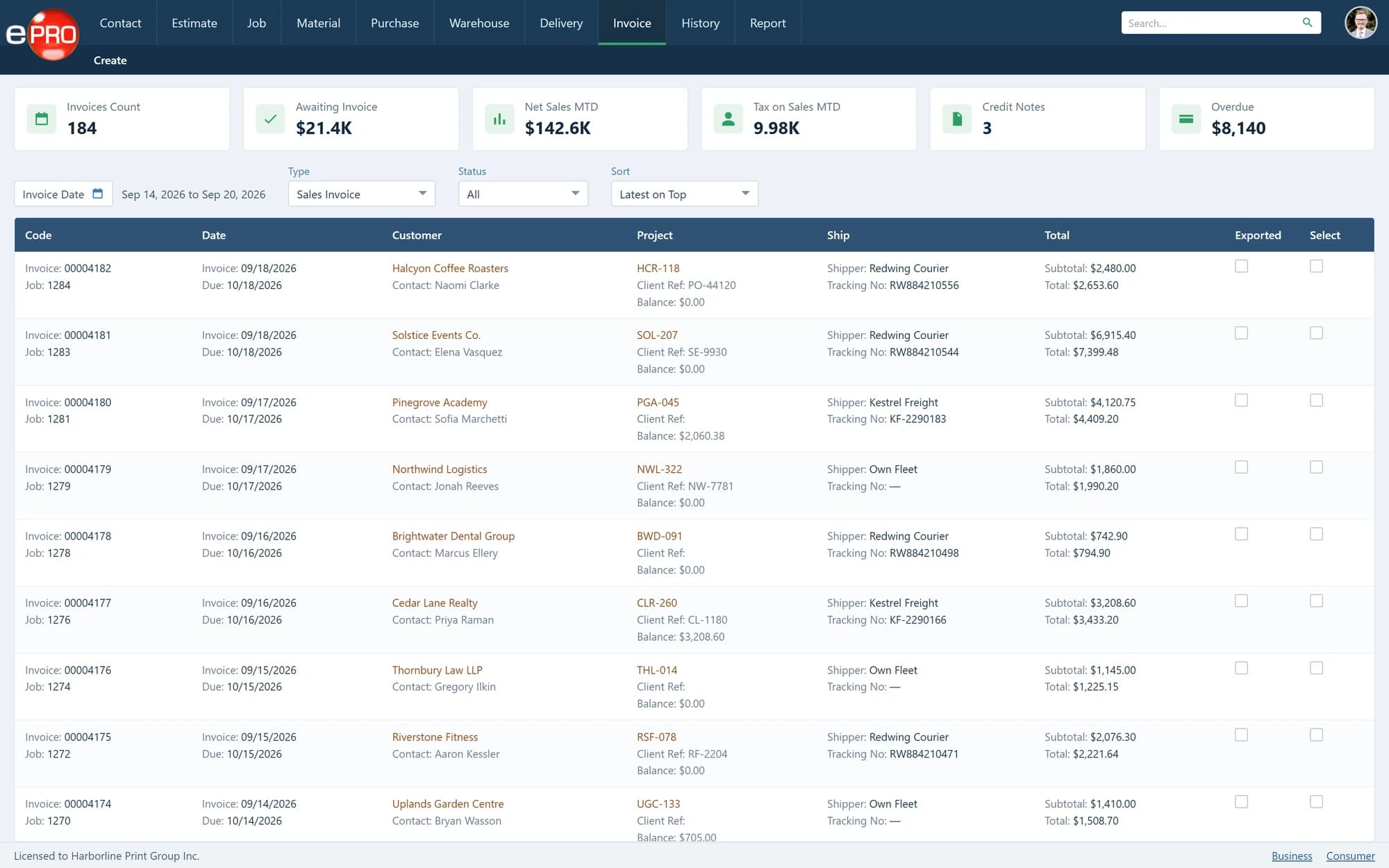
Invoicing
Completed production and delivered quantities turned into billing.
- 11
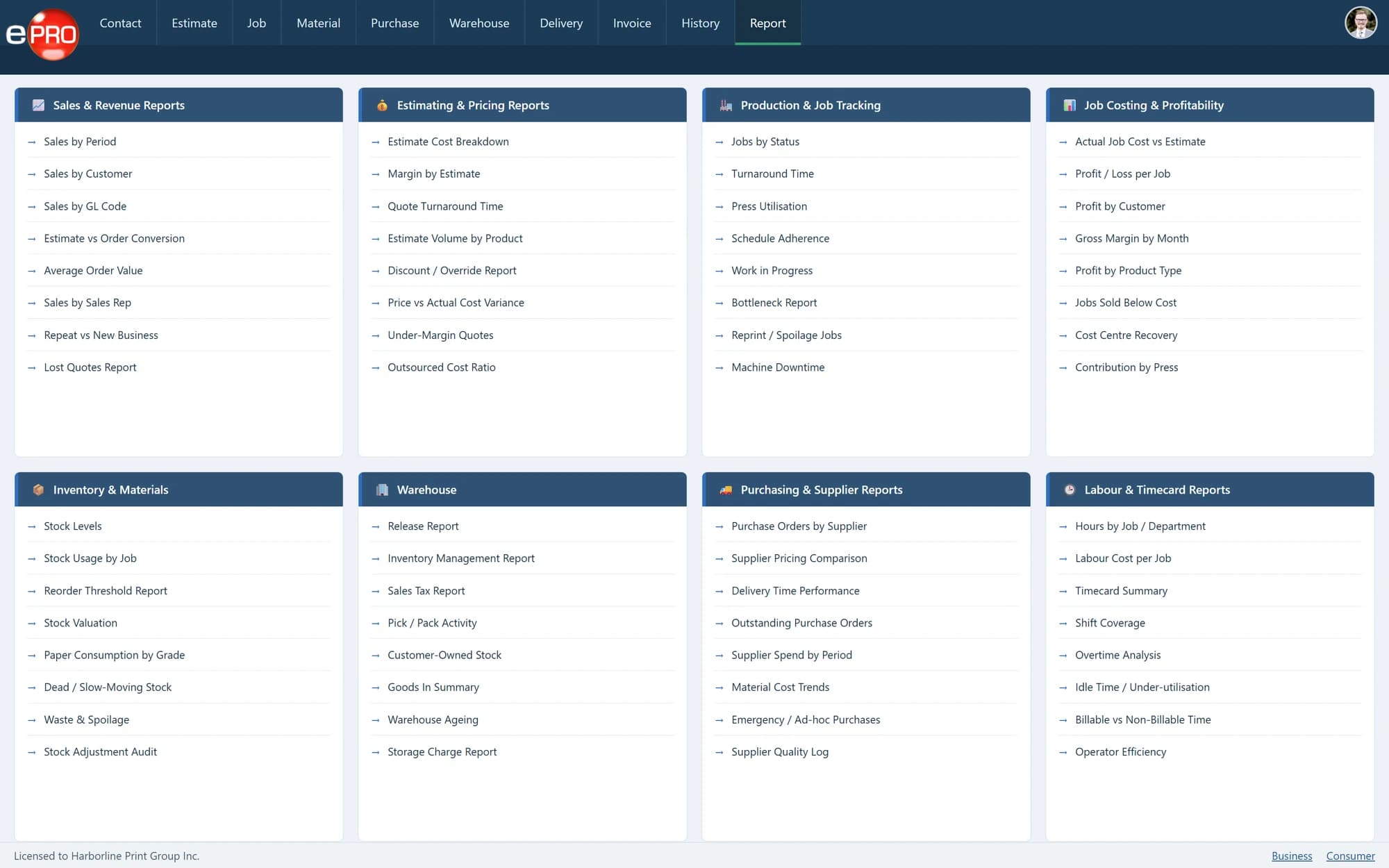
Reporting
Sales, estimating, production, costing, stock, purchasing and labour.
- 12
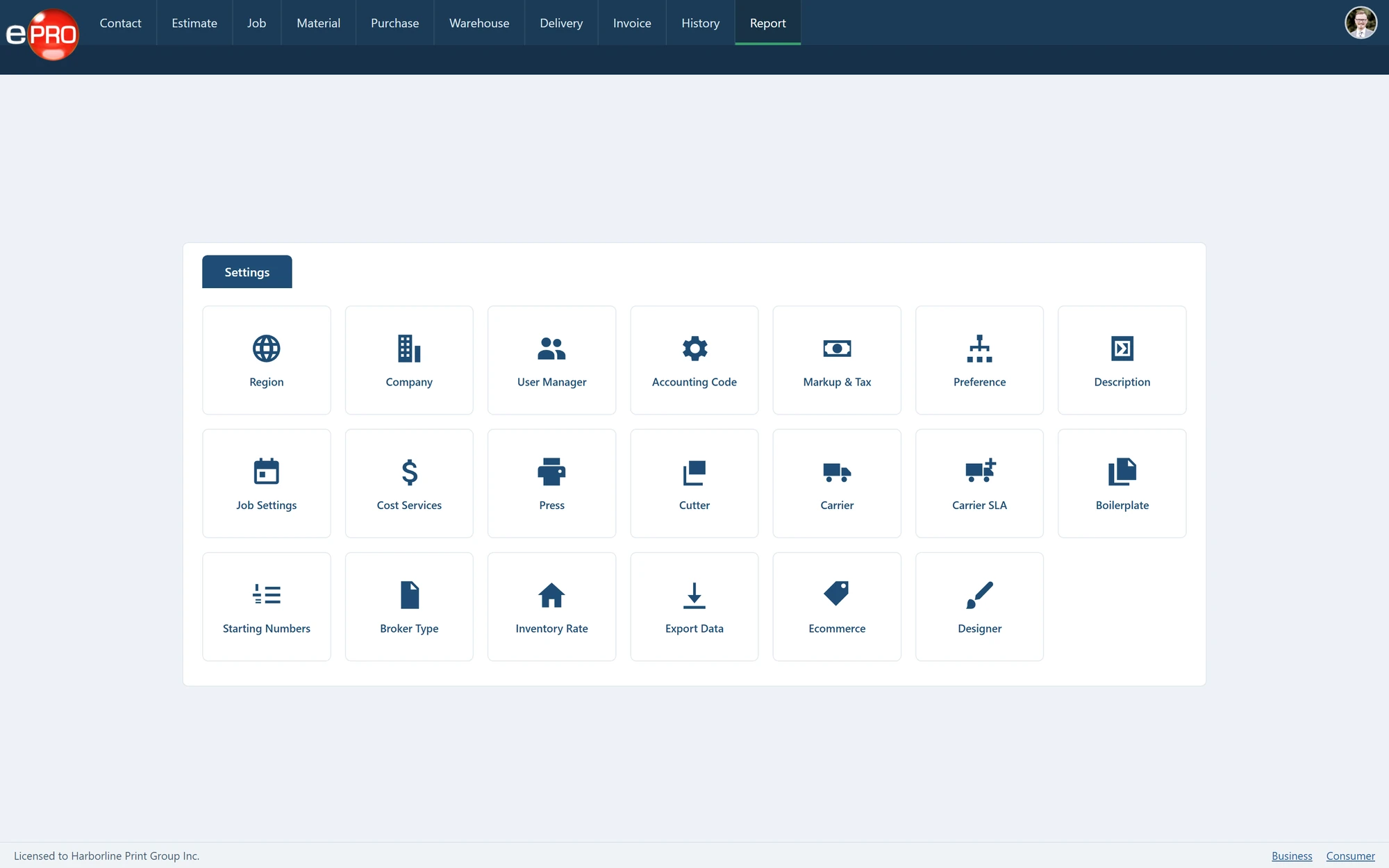
Configuration
Presses, cutters, carriers, markup, tax and workflow settings.
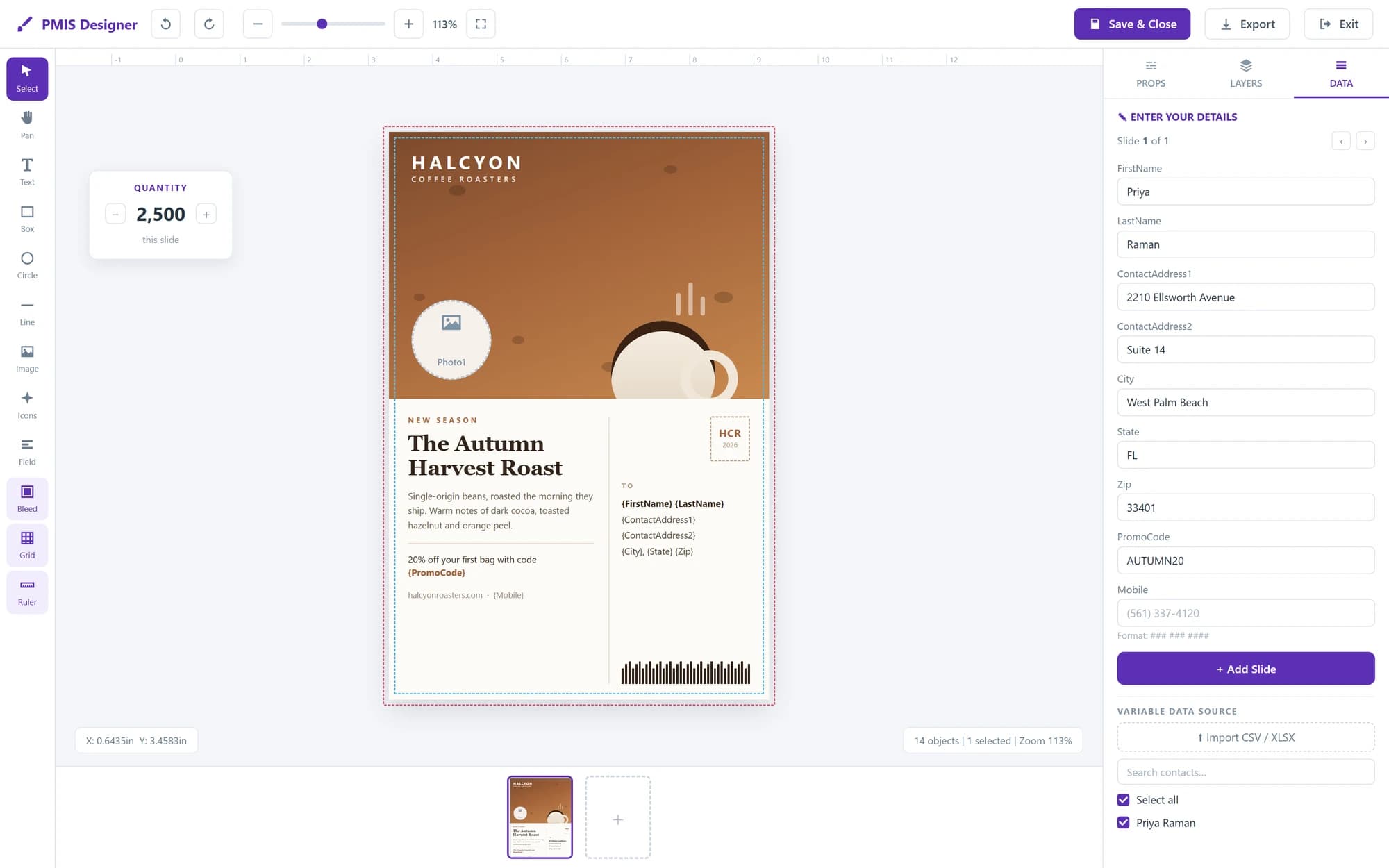
- 13
Online Designer
Customer artwork, templates and variable data before the job is placed.
- 14
Web-to-Print Storefront
The customer-facing route into the same MIS workflow.
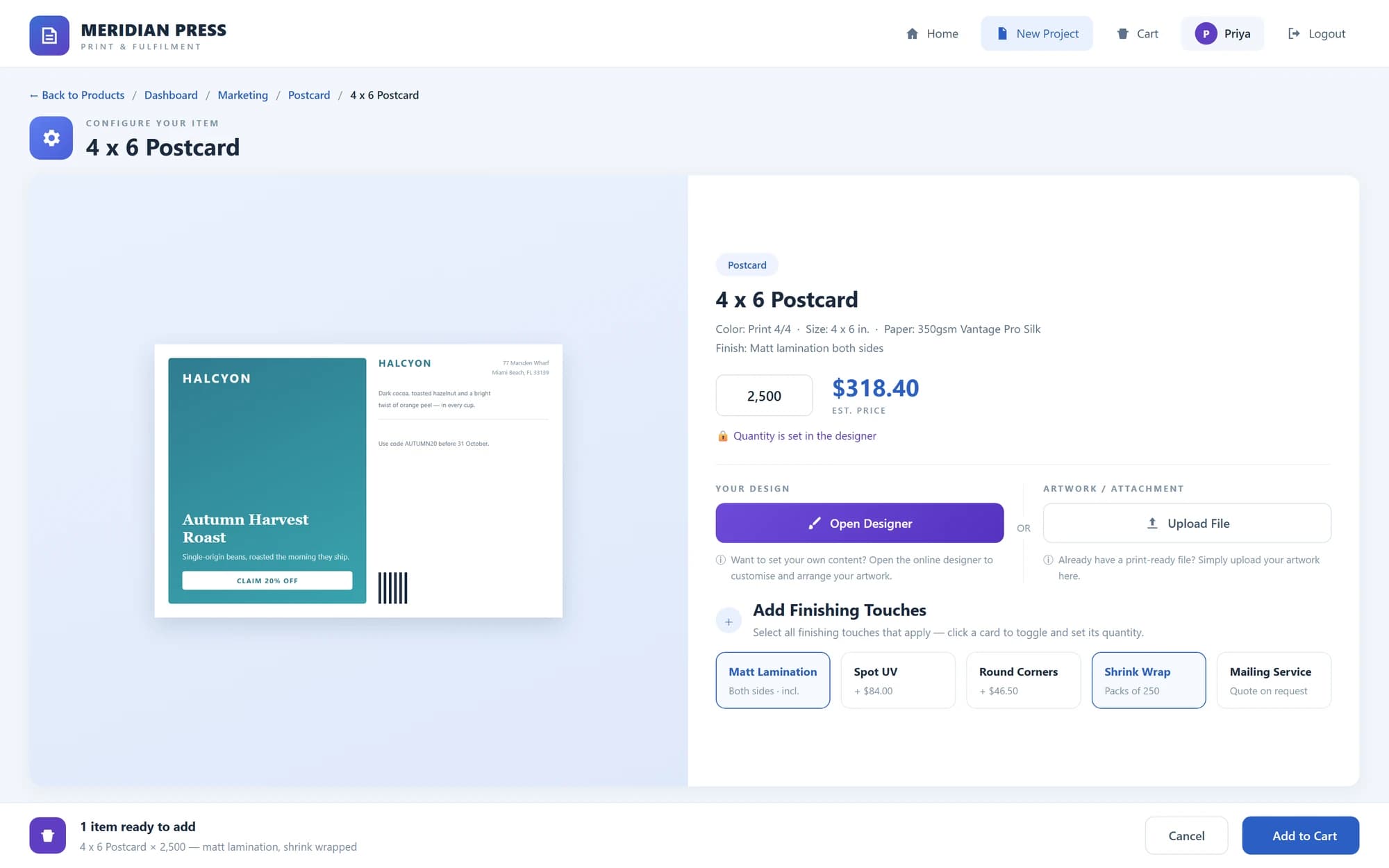
Product views shown with sample data.
A Management System Built Around the Print Workflow.
Print MIS stands for Print Management Information System. Unlike general business software, a print MIS is designed around the way print is estimated, produced, purchased, fulfilled and billed. A print business needs to manage more than customers and orders.
It needs to understand:
- Specifications
- Materials
- Presses & Production Processes
- Finishing
- Outsourced Services
- Costs
- Pricing
- Gross Margin
- Jobs
- Purchasing
- Inventory
- Delivery
- Invoicing
A print MIS brings those processes together.
The job becomes the connection between the commercial decision and the production workflow.
One Connected Print Workflow.
A print job should not have to be re-entered every time it moves to another part of the business. A connected print MIS carries the requirement through the workflow.
Customer or Enquiry
Capture the customer, requirement and commercial opportunity.
Estimate
Build the specification and calculate the selling price using materials, production processes, outsourced services, costs and margin.
Approval
Record customer approval and move the work into production.
Job
Create the production job using the specification already established during estimating.
Production
Provide the job instructions and maintain visibility as the work moves through production.
Purchasing
Buy the materials, outsourced production and supplier services required by the job.
Warehouse & Inventory
Receive, hold, allocate and release stock where the workflow includes inventory.
Delivery
Pack, dispatch and deliver completed work to the required location or locations.
Invoice
Bill completed work, delivered quantities or warehouse releases.
Reporting
Maintain visibility across the commercial and operational activity of the business.
Enquiry → Estimate → Job → Production → Purchase → Delivery → Invoice
More Than Job Tickets.
A modern print MIS should connect the information used throughout the business.
- 01
Customer Management
Maintain customers, prospects, contacts, locations and commercial history.
- 02
Print Estimating
Create estimates using print specifications, materials, processes, costs, markups and gross margin controls.
- 03
RFQs & Outsourcing
Request supplier pricing when a job or process needs to be produced externally.
- 04
Job Management
Convert approved work into structured production jobs.
- 05
Production Visibility
Use job boards and planning tools to see what work is active, where it is and when it is required.
- 06
Materials
Manage the materials used or required by production.
- 07
Purchasing
Create and manage purchases for stock, outsourced work and external services.
- 08
Warehouse & Inventory
Manage customer-owned and company-owned goods from receipt through allocation, picking and release.
- 09
Delivery & Fulfilment
Control packing, shipping and multi-location delivery requirements.
- 10
Invoicing
Turn completed production and fulfilment activity into billing.
- 11
Reporting
Provide management with information across the workflow.
Connect the Departments That Already Depend on Each Other.
Without a connected system, the same job can exist in several places at once.
- 01
A quotation in one application.
- 02
Production information somewhere else.
- 03
Purchasing on a spreadsheet.
- 04
Stock in another system.
- 05
Delivery information in emails.
- 06
Invoices in accounting software.
A print MIS creates a structured path through those processes.
- 01
Reduce Duplicate Entry
Carry information forward instead of repeatedly entering the same job.
- 02
Standardise Estimating
Use consistent specifications, costing and pricing structures.
- 03
Improve Production Visibility
Give the business a clearer view of active jobs and requirements.
- 04
Connect Purchasing to Demand
Raise purchasing requirements from the work that created the need.
- 05
Control Inventory
Know what has been received, allocated, picked and released.
- 06
Connect Delivery and Billing
Carry completed work through fulfilment and into invoicing.
- 07
Improve Management Visibility
Bring commercial and operational information together.
One job. One connected workflow.
Know the Commercial Position Before Production Begins.
The estimate establishes much of the information that follows the job.
Estimate consistently. Price commercially. Protect margin.
A print MIS should allow the estimator to consider:
- Quantity
- Finished Size
- Materials
- Press
- Pre-Press
- Production Processes
- Finishing
- Outsourced Work
- Production Time
- Delivery
- Cost
- Markup
- Gross Margin
The objective is not simply to calculate a price. It is to understand how the work can be produced and whether it makes commercial sense.
Keep Both Routes Inside the Same System.
Not every requirement is produced internally.
Some jobs require:
- Trade Printing
- Specialist Finishing
- Additional Capacity
- Processes You Don't Operate
- Externally Purchased Products
A print MIS should allow those requirements to remain part of the same commercial workflow.
- 01Create an RFQ.
- 02Obtain supplier pricing.
- 03Include the external cost within the estimate.
- 04Raise the purchase when the job proceeds.
Estimate → RFQ → Supplier Quote → Purchase → Job
The customer sees one commercial offer.
The business retains visibility of how the work will actually be supplied.
Different Functions. Stronger When Connected.
Print MIS and web-to-print are related, but they are not the same thing.
Print MIS
Runs the operational workflow inside the print business.
Estimating → Jobs → Production → Purchasing → Inventory → Delivery → Invoicing
Web-to-Print
Provides the customer-facing route into the business. Customers can access products, pricing, templates, artwork, approvals and repeat ordering online.
Products → Pricing → Templates → Artwork → Approval → Order
Web-to-Print MIS
Connects the two. An online customer order becomes part of the same MIS workflow used by the rest of the business.
Customer Storefront → MIS → Production → Fulfilment → Invoice
This is the model behind ePRO Web-to-Print MIS.
Explore ePROBuilt for Businesses That Manage Print.
Commercial Printers
Connect estimating, production, purchasing, delivery and invoicing.
Digital Printers
Manage online, short-run, repeat and internally entered work.
Litho Printers
Estimate and control materials, presses, finishing and production requirements.
Trade Printers
Manage work produced for brokers, resellers and other printers.
Print Brokers
Control customer estimates, supplier RFQs, purchasing, delivery and margin.
Print Management Companies
Manage customers, external production, inventory and multi-location fulfilment.
In-Plants
Manage internal requirements, approvals, production and reporting.
Multi-Location Operations
Connect customers, users, production and fulfilment requirements across locations.
When the Workflow Becomes Harder to Control Than the Job.
Businesses typically begin looking for a print MIS when too much operational information is being managed manually or across disconnected systems.
Common signs include:
- 01Estimates Built in Spreadsheets
- 02Jobs Re-entered After Approval
- 03Production Information Spread Across Emails or Paper
- 04Purchasing Disconnected From Jobs
- 05Limited Stock Visibility
- 06Separate Delivery Records
- 07Repeated Entry Into Accounting Software
- 08Limited Visibility Across the Business
The objective of a print MIS is not simply to digitise those individual tasks. It is to connect them.
Choose the Workflow, Not Just the Feature List.
When comparing print MIS systems, look beyond whether a vendor can tick individual feature boxes.
Ask:
Can an Estimate Become a Job?
Information should carry forward rather than being created again.
Can It Handle Internal and Outsourced Production?
Both production routes should remain commercially visible.
Does Purchasing Connect to the Work?
The system should show why the purchase was required.
Can It Manage Inventory?
If your business holds finished goods or materials, warehouse activity should connect with fulfilment and billing.
Can It Manage Multiple Delivery Locations?
Modern print requirements frequently involve distributed fulfilment.
Can It Connect With Other Systems?
Accounting, payments, shipping and external customer systems may all form part of the workflow.
Does It Support Web-to-Print?
If customers order online, the storefront should connect with the operational system behind it.
Can It Adapt as the Business Changes?
The system needs to support the processes you operate today without preventing future development.
Web-to-Print at the Front. Print MIS at the Core.
ePRO is the Print MIS platform developed by Print Management Information Systems. It combines the internal operational workflow with customer-facing web-to-print.
- 01
Web-to-Print
Customer storefronts, locations, products, online estimating, personalisation, approvals and ordering.
- 02
Print MIS
Customers, estimating, RFQs, jobs, production, purchasing, warehouse, delivery, invoicing and reporting.
- 03
Integration
Connect accounting, payments, shipping and external business systems.
The result is a system designed to carry information from the point where the requirement enters the business through to the point where the work is delivered and billed.
Customer → Estimate → Job → Production → Fulfilment → Invoice
More Than 20 Years Developing Software for Print.
Built around print. Developed through the industry.
Print Management Information Systems has been developing technology around the commercial and operational requirements of print since 2003. More than 400 Print MIS installations contribute to that experience. Those implementations span the practical processes that make print businesses different from generic manufacturing and order-management environments.
Estimating.
Production.
Outsourcing.
Purchasing.
Inventory.
Delivery.
Billing.
Frequently asked questions
What is print MIS software?
Print MIS software is a management information system designed specifically for print businesses. It connects processes such as customer management, estimating, jobs, production, purchasing, inventory, delivery, invoicing and reporting.
What does MIS stand for in printing?
MIS stands for Management Information System. In print, the term generally refers to software that manages the commercial and operational workflow of a printing business.
What is the difference between print MIS and estimating software?
Estimating software focuses primarily on calculating the specification, cost and selling price of print. A print MIS extends beyond estimating into jobs, production, purchasing, inventory, fulfilment, invoicing and management information.
What is the difference between print MIS and web-to-print?
Web-to-print provides customers with an online interface for products, pricing and ordering. Print MIS manages the internal workflow required to produce, purchase, deliver and invoice that work. ePRO combines both.
Can print MIS software manage outsourced work?
Yes. ePRO supports RFQs and supplier pricing so externally produced work can remain connected with estimating, purchasing and the job workflow.
Can a print MIS manage warehouse inventory?
Yes. ePRO includes warehouse workflows for receiving, storing, allocating, picking and releasing customer-owned and company-owned inventory.
Can print MIS software handle web orders and internally entered jobs?
Yes. ePRO supports multiple routes into the same operational workflow, including web-to-print orders, estimates, RFQs, repeat work and direct job entry.
Does ePRO integrate with other systems?
Yes. ePRO supports integrations including QuickBooks Online, Stripe and GoShippo, together with APIs and custom integrations.
Who is ePRO designed for?
ePRO is designed for commercial printers, digital and litho printers, print brokers, print management companies, trade printers, in-plants and other organisations managing print workflows.
How do I see ePRO working?
Watch the ePRO product demonstration to see how the workflow operates from customer and estimating through production, purchasing, fulfilment and invoicing.
See the System Behind the Workflow.
If you need to connect estimating, jobs, production, purchasing, inventory, delivery and invoicing, explore the ePRO Web-to-Print MIS.
One system. From enquiry to invoice.
