
Turn Work Supplied Into Work Invoiced.
Create invoices from completed jobs, delivered quantities and warehouse releases. Keep billing connected to the operational activity behind it instead of rebuilding the invoice from separate records.
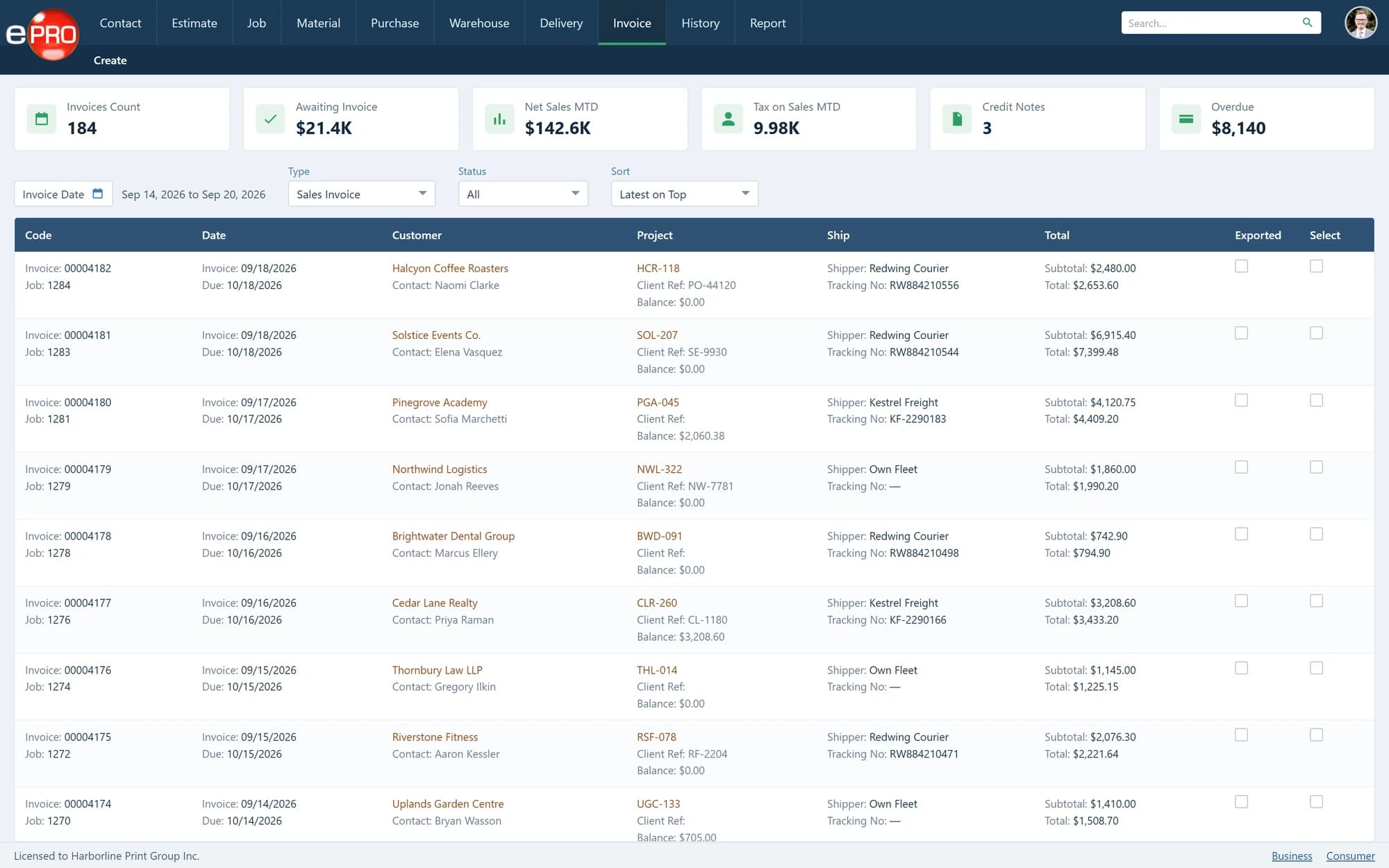
Product views shown with sample data.
The Accounts Team Should Not Have to Reconstruct the Job.
By the time work is ready to be invoiced, the business has already established the customer, specification, price and fulfilment requirement.
Making accounts recover that information from job bags, emails and dispatch notes adds another handover.
Use the information captured during the workflow to support billing with a clearer connection to what was ordered and supplied.
Support the Way the Work Is Billed.
- 01
Completed jobs
Create invoices associated with the work managed through ePRO. Keep the commercial record related to the job rather than treating the invoice as an isolated document.
- 02
Delivered quantities
Support billing arrangements based on the quantity supplied. This is relevant where fulfilment takes place in stages rather than as one complete delivery.
- 03
Warehouse releases
Connect invoicing with released inventory where the customer agreement requires billing as goods are supplied.
- 04
Stock billed when produced
Support workflows where stock is invoiced at production and subsequently held for release. The billing arrangement should distinguish the original sale from later physical movements.
Match the Invoice to the Commercial Agreement.
Consider two customers holding print in your warehouse.
One purchases the entire production quantity upfront. The other is billed as stock is released. The warehouse may perform similar picking activity for both, but the invoicing requirement is different.
A clear workflow helps accounts understand the basis of the charge rather than assuming every release represents another sale.
Connect With QuickBooks Online.
The QuickBooks Online integration connects selected invoice activity with accounting. Relevant information may include customer details, invoice information and customer purchase-order or work-order references.
The exact records, transfer direction and behaviour are defined during implementation.
From Operational Record to Invoice.
- 01Job, Delivery or Warehouse Release
- 02Apply the Agreed Billing Basis
- 03Review Invoice Information
- 04Issue Invoice
- 05Accounting Transfer Where Configured
Frequently asked questions
Can we invoice against delivered quantities?
Yes. Delivered-quantity billing forms part of the ePRO invoicing workflow.
Can warehouse stock be billed on release?
Yes. Release-based billing can support the relevant commercial arrangement.
Does ePRO invoicing replace a complete accounting system?
The module manages billing within the print workflow. Integration connects relevant activity with accounting rather than assuming all accounting functions belong inside the MIS.
Finish the Commercial Workflow.
Review how completed work and delivered quantities become invoices in your business.
