
See What Is Happening. Plan What Happens Next.
Use the ePRO Job Board to review active work and production status. Use the Job Planner to organise work across departments, equipment and production stages against the dates you need to meet.
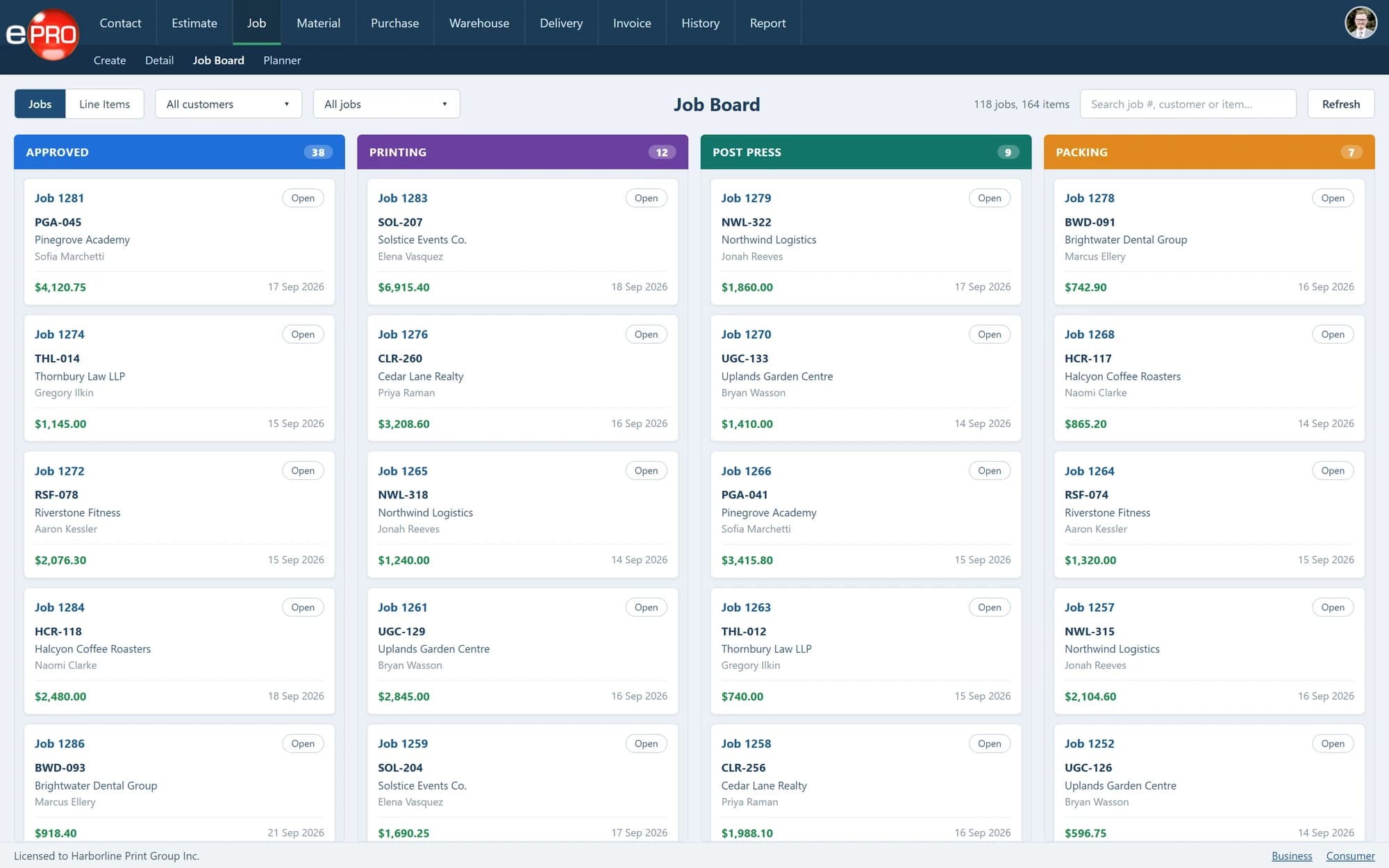
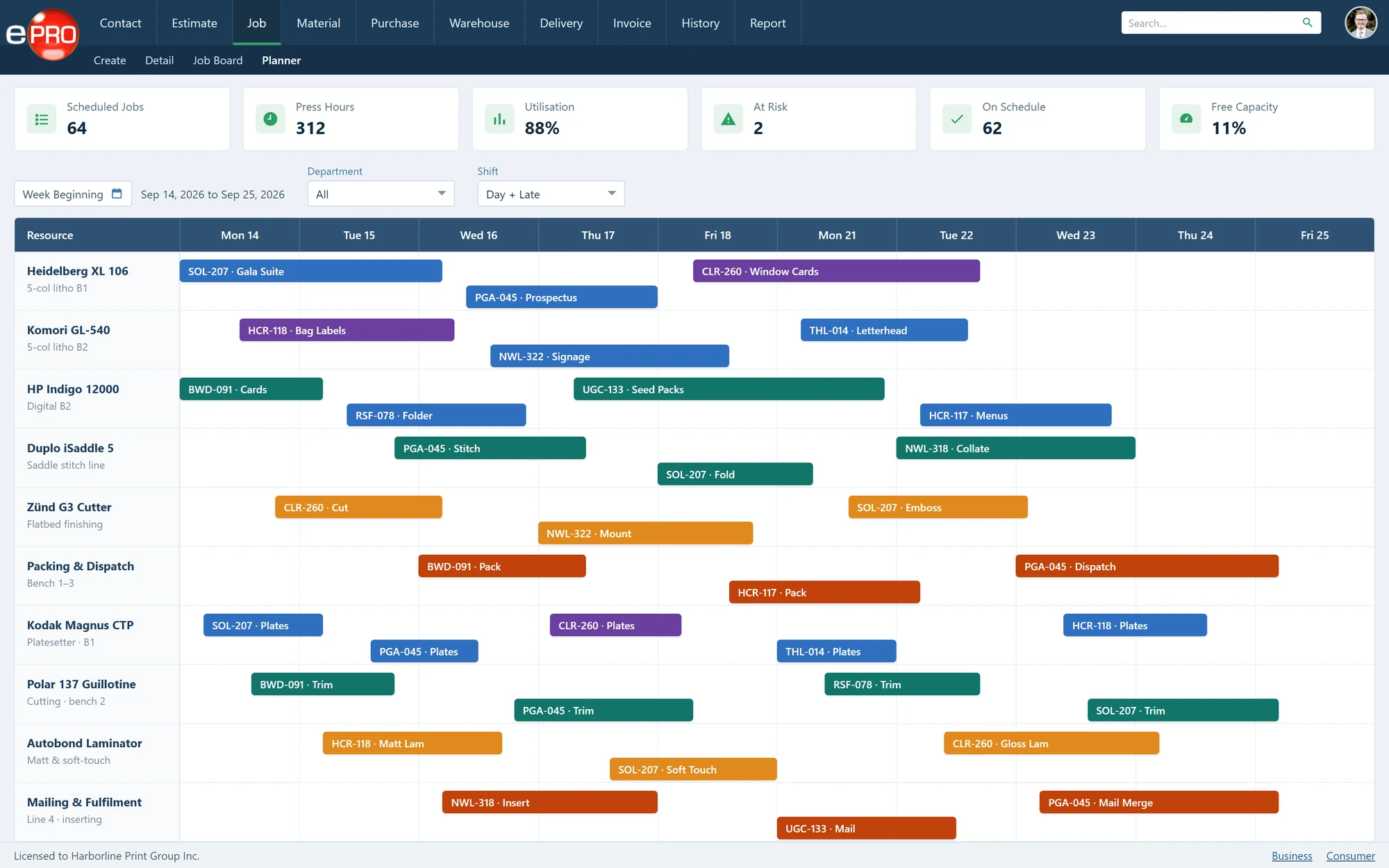
Product views shown with sample data.
Production Needs More Than a List of Due Dates.
Several jobs can share the same delivery date while requiring very different routes through the business.
Printing is only one stage. Finishing, packing and other operations also need time and coordination.
Bring current work and planned activity into view so production decisions can reflect the complete requirement—not just which job appears most urgent.
Two Views. Different Responsibilities.
- 01
Job Board: understand the current position
Review active jobs, priorities, required dates and recorded status. Give production and customer-service teams a shared reference when discussing where work stands.
- 02
Job Planner: organise the work ahead
Plan the required activities through departments, equipment and production stages. Consider how the work needs to progress to meet its deadline.
- 03
Priorities: decide what needs attention
Use the visible workload and required dates to review priorities. When circumstances change, your team can reconsider the plan with the surrounding work in view.
- 04
Progress: keep the picture useful
Maintain job progress as work moves through production. The value of the board depends on keeping operational information current.
Plan Beyond the Press.
A job leaving the press is not necessarily ready for delivery.
For example, a printed booklet may still require folding, gathering, stitching, trimming and packing. Scheduling the press without considering those later stages can leave the delivery commitment exposed.
Use the planning discussion to consider the full route and the dependencies between operations.
Give Customer Service a Shared Reference.
A recorded production status gives colleagues a starting point when a customer asks about their order.
It does not replace discussion where an issue needs explanation. It helps make that discussion more specific: which stage is involved, what is outstanding and what needs to happen next.
From Booked Work to Production Progress.
- 01Job Booked
- 02Review Requirement
- 03Plan Stages
- 04Set Priorities
- 05Update Progress
- 06Complete
Frequently asked questions
What is the difference between the board and planner?
The board shows active work and status. The planner supports organising the work through its required production stages.
Can planning cover finishing as well as printing?
Yes. Planning can cover departments, equipment and processes beyond the press.
Does the software replace the production manager?
No. It supports visibility and planning. Your team remains responsible for priorities, resource decisions and operational judgement.
Make Production Decisions With the Work in View.
Review your production stages and see how the Job Board and Planner could support them.
