See the Business Behind the Jobs.
Review information across sales, estimating, production, costing, purchasing, inventory, delivery and invoicing. ePRO reporting brings the activity recorded throughout the workflow into the management conversation.
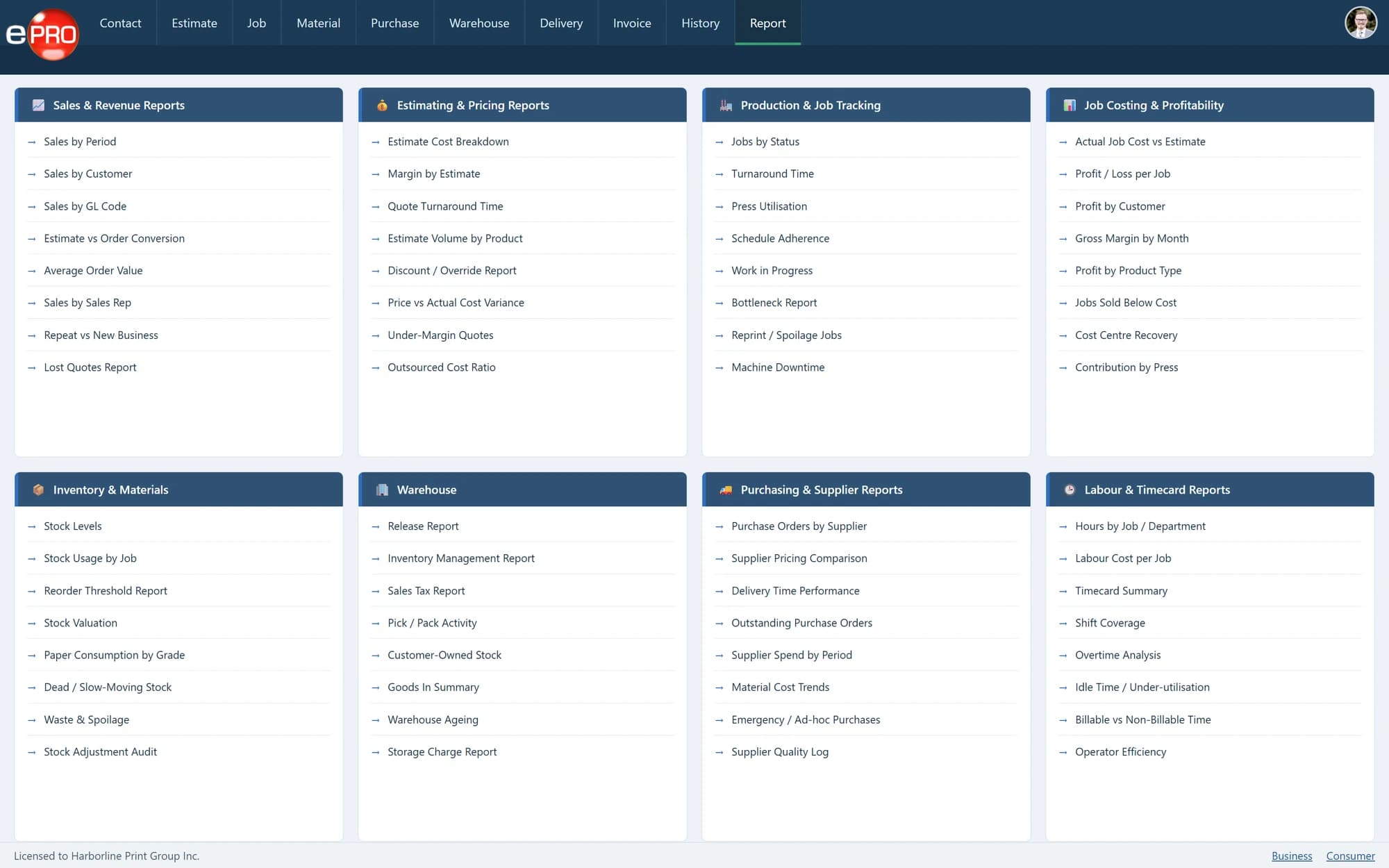
Product views shown with sample data.
Being Busy Is Not the Same as Being in Control.
A full production schedule does not explain the commercial position of the business.
Management also needs to understand the work being quoted, the jobs being processed, the purchasing behind them and the activity moving through fulfilment and billing.
Use recorded business activity to investigate performance rather than relying only on how busy each department feels.
Review the Areas That Shape the Operation.
- 01
Sales and estimating
Review commercial and estimating activity to support discussions about workload, pricing and the work being pursued.
- 02
Jobs and production
Use job and production information to understand work moving through the operation and direct attention to areas requiring investigation.
- 03
Purchasing and costs
Review purchasing and costing information alongside the work it supports. Give commercial discussions a basis in recorded activity.
- 04
Inventory and fulfilment
Review stock and related movement through the warehouse and delivery workflow. Understand inventory as part of customer service and operational demand.
- 05
Invoicing and commercial completion
Include billing activity in the management review so attention does not stop when production finishes.
Start With the Decision, Not the Report Title.
A useful management review begins with a question.
Which parts of the workflow need attention? Where should a cost be investigated? What is waiting for fulfilment? Which customer requirements are creating repeated operational difficulties?
Identify the information needed to answer those questions, then review the relevant records and reports. A report should support a decision, not simply add another document to the meeting.
Give Departments a Common Basis for Discussion.
Sales, production, purchasing and accounts may experience the same job differently.
Reporting from the operational system creates a common reference for those conversations. It helps the business investigate how the work moved through the process rather than comparing separate departmental versions of events.
Useful Reporting Starts With Useful Records.
Reports reflect the information entered into the system.
Accurate specifications, current job progress, complete purchasing records and consistent stock movements all contribute to better management information. Software provides the structure; the business must maintain the record.
- 01Record Activity
- 02Review Information
- 03Investigate
- 04Decide
- 05Act
Frequently asked questions
Does reporting cover more than sales?
Yes. Reporting spans commercial and operational areas of the print workflow.
Can we review the relevant reports before implementation?
Discuss the decisions, report content and presentation formats your business needs during the demonstration and implementation-scoping process.
Does operational reporting replace accounting reports?
No. Operational information and accounting information serve related but different purposes.
Make Management Reviews More Useful.
Start with the questions your business needs answered and review how ePRO can support them.
